_______________________________________________________________ NeoBux Banner
Showing posts with label AlertPay. Show all posts

November 22, 2008

How to Transfer Funds from AlertPay to Your Local Savings Account?

Disclaimer: As of writing, I have made this tutorial for illustration purposes only. The images below may not be the same with AlertPay’s actual site. AlertPay reserves the right to amend, update or change the site’s layout at any time.


1.Login to your AlertPay account.


2. On your Account Overview, click WITHDRAW.


3. On your Withdraw Funds interface, under Electronic Funds Transfer, click BANK WIRE.


4. On the space provided for AMOUNT, write the amount you wish to withdraw, and then click NEXT.


5. Review your transaction. Make sure all the information you entered are correct and valid and then confirm.

6. Wait for your money in your savings account.


RELATED ARTICLES:

November 3, 2008

How to Add Your Local Savings Account to Your AlertPay Account?

Disclaimer: As of writing, I have made this tutorial for illustration purposes only. The images below may not be the same with PayPal’s actual site. PayPal reserves the right to amend, update or change the site’s layout at any time.


1.Login to your AlertPay account.


2. On your Account Overview, click PROFILE.


3. On your My Profile interface, under Financial, click BANK ACCOUNTS.


4. Add Bank Account Step 1: Select the country where your bank account is located and then click NEXT.


5. Add Bank Account Step 2: Select the type of action you would like to perform with your bank account and then click NEXT.


For Philippine Residents: Select Bank Wire because localized bank transfers to Philippines are not supported.

6. Add Bank Account Step 3: Add your Account Information, Account Number and Bank Information. Make sure all the information you entered are correct and valid, and then click NEXT.


For Philippine Residents, you may add the following:
Account Information:
Currency: US Dollars
Account Type: Savings Account

Account Number:
Bank Code: Click here for the list of Bank Codes
SWIFT BIC: Click here for the list of Bank Swift Codes

Bank Information:
Bank Name: (such as Bank of the Philippine Islands or Banco De Oro)
Bank Phone Number: +63(7-digit telephone number)
Bank Contact Name: (ask for your bank’s authorized contact person)


7. Confirm your account information. Please ensure the details are correct before adding your bank account to your profile.


8. Click ADD BANK ACCOUNT.

9. You have successfully added your bank account. It is now confirmed and ready for you to use.


RELATED ARTICLES:

October 8, 2008

List of Philippine Bank Swift Codes

8-Digit Bank Swift Codes

Allied Banking Corporation - ABCMPHMM
American Express Bank Philippines - AMEXPHMM
Banco de Oro Universal Bank - BNORPHMM
Bank of China Manila Branch - BKCHPHMM
Bank of Commerce - PABIPHMM
Bank of the Philippine Islands - BOPIPHMM
China Banking Corporation - CHBKPHMM
Development Bank of the Phil. - DBPHPHMM
East West Banking Corporation - EWBCPHMM
Equitable PCI Bank - PCIBPHMM
Hong Kong and Shanghai Bank - HSBCPHMM
International Commercial Bank of China - ICBCPHMM
International Exchange Bank - INXBPHMM
Land Bank of the Philippines - TLBPPHMM
Maybank Philippines Incorporated - MBBEPHMM
Metropolitan Bank & Trust Co. - MBTCPHMM
Philippine Bank of Communications - CPHIPHMM
Philippine National Bank - PNBMPHMM
Philippine Veterans Bank - PHVBPHMM
Philtrust Bank - PHTBPHMM
Prudential Bank - PILBPHMM
Rizal Commercial Banking Corp. - RCBCPHMM
Security Bank and Trust Corp. - SETCPHMM
Standard Chartered Bank - SCBLPHMM
Union Bank of the Philippines - UBPHPHMM
United Coconut Planters Bank - UCPBPHMM
United Overseas Bank Philippines - UOVBPHMM


RELATED ARTICLES:

September 18, 2008

How to Withdraw Funds from AlertPay?

I have searched and read other ways to withdraw funds from AlertPay, but I will concentrate on the 2 tested ways on how to get your money:


MAILED CHECKS

As of writing, I’m not really sure how they mail the checks, whether by international couriers or just the ordinary mail. We all know how the mailing system in our country works (with all the anomalies done by some employees, especially if they knew the mail was sent from a foreign country and probably have a check enclosed). So it is really up to you if you want to choose this option.


1. Login to your AlertPay account.

2. Request for a withdrawal via mailed check.

3. Checks are sent to you via regular mail and are issued in US Dollars. They send out the checks within 1-2 business days after your request. Outside of Canada/US, it can take up to 3-4 weeks for you to receive your checks in the mail.

4. Encash checks on money changers accepting international checks in Dollars or deposit your check at your own bank account.

5. Wait for the processing time of your check, approximately 3-4 weeks.


ALERTPAY TO PAYPAL

AlertPay and Paypal are two competing companies, therefore, there is NO way to transfer one’s fund to another. However, there is a way to convert your AlertPay fund into PayPal fund.

1. Cashout your earnings at your PTC programs via AlertPay.


Note: Images are clickable.


2. Invest your AlertPay funds to your most trusted PTC sites that has an option to withdraw earnings via PayPal. Investing means making purchases of referrals or upgrading to premium memberships. Such PTC sites are: EARNMYBUX, MAKEMYBUX, CASHMYBUX, CLICKMYBUX, ISABELMARCO,NEOBUX, FINANCIALFREEDOMADS and THINKBUX

3. Withdraw your PTC earnings via Paypal.


4. Transfer your Paypal funds via UnionBank’s EON CyberAccount. Withdraw your cash on ATM machines with VISA, PLUS and MEGALINK logos.


AlertPay is the easiest way to receive money online.
You don’t have an account yet? Click here to sign up.


RELATED ARTICLES:

September 17, 2008

How to Earn from AlertPay’s Referral Program?

Disclaimer: As of writing, I have made this tutorial for illustration purposes only. The images below may not be the same with AlertPay’s actual site. AlertPay reserves the right to amend, update or change the site’s layout at any time.


It's easy to start earning. Here's how:

1. Login to your AlertPay account.


2. Click on the "Earn Money" tab located at the upper rightmost section of the page.


3. Get your personalized referral link so you can use in your emails, website, and banners.


4. Each time someone you refer create an AlertPay Premium or Secured account (or upgrade their personal account) and transacts at least $250.00 (sending and/or receiving) through their AlertPay account, you will receive $5.00. After your 10th referral, they will pay you $10.00 for each referral.


5. Your referral bonus will be paid to your account 10 days after successful qualifications.


RELATED ARTICLES:

How to Become AlertPay Verified?

Disclaimer: As of writing, I have made this tutorial for illustration purposes only. The images below may not be the same with AlertPay’s actual site. AlertPay reserves the right to amend, update or change the site’s layout at any time.


1. You become verified by completing the verification requirements. You must submit a scanned copy of 1 proof of address and 1 photo identification (I.D. card). Please ensure that all four edges of the documents are visible.
  • Photo identification can be one of the following:
    (Submit the back portion of the identification if the expiration date is located at the back.)
    • Driver's license
    • Passport
    • State ID, Country ID or Photo Medical ID
  • Proof of address must show your name and address and be dated within the last 6 months. You can submit one of the following:
    • Utility Bill
    • Phone bill
    • Credit card statement
    • Bank Statement


2. Log into your AlertPay account.


3. Click on the "Become Verified" link.


4. Select Upload Verification Documents by clicking on the "Upload Now" button.


5. Select a document type and then click "Next" button.


6. Select a form type and then "Browse" the location of your scanned document. Click the "Next" button.


7. Preview your uploaded document and then click the "Finish" button.


8. Repeat steps 3-7 for the next document.

For uploaded documents, processing takes up to 10 days upon receipt of the documents. Your documents will be reviewed and the information contained in your documents must match the information on your AlertPay profile in order for them to be approved. You can view the status of your documents once you login into your account.


I wish you good luck and great earnings!


RELATED ARTICLES:

September 16, 2008

How to Open an AlertPay Account?

Disclaimer: As of writing, I have made this tutorial for illustration purposes only. The images below may not be the same with AlertPay’s actual site. AlertPay reserves the right to amend, update or change the site’s layout at any time.


1. Be sure to have your own e-mail account that you can use for your PayPal account only. Even if you have an e-mail address that you use to communicate with friends and family, it is better to have a separate one that you can use just for your PayPal account.

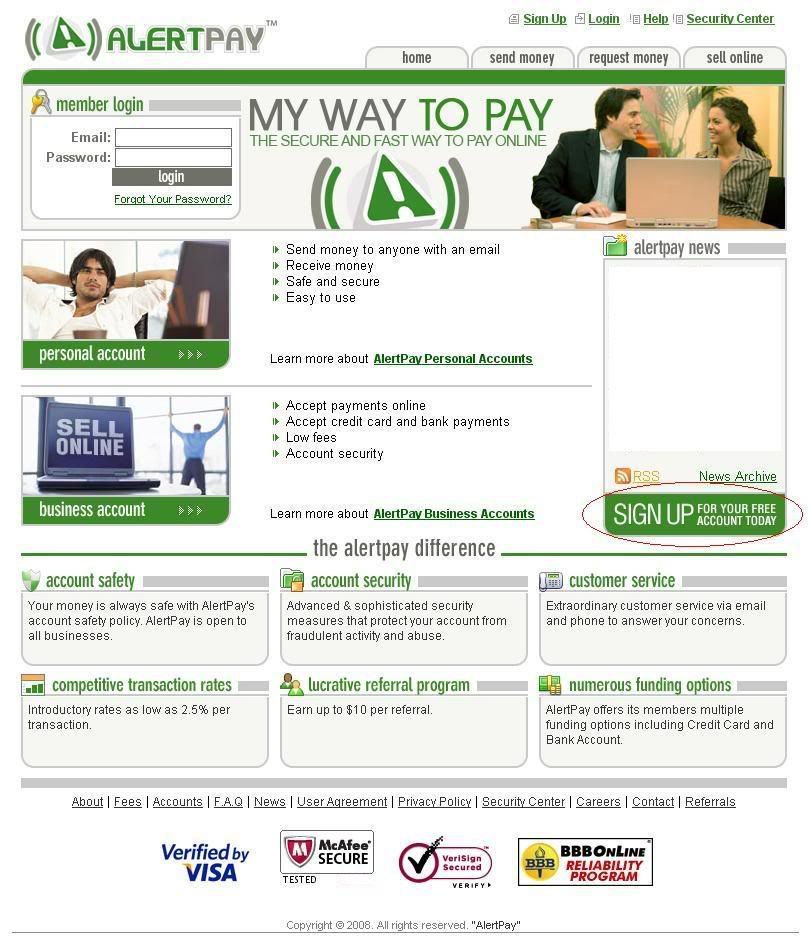
2. Sign up here
.


3. Start creating your AlertPay account by choosing your country and type of AlertPay account.

For the purpose of illustration, I will choose a Personal Starter account.
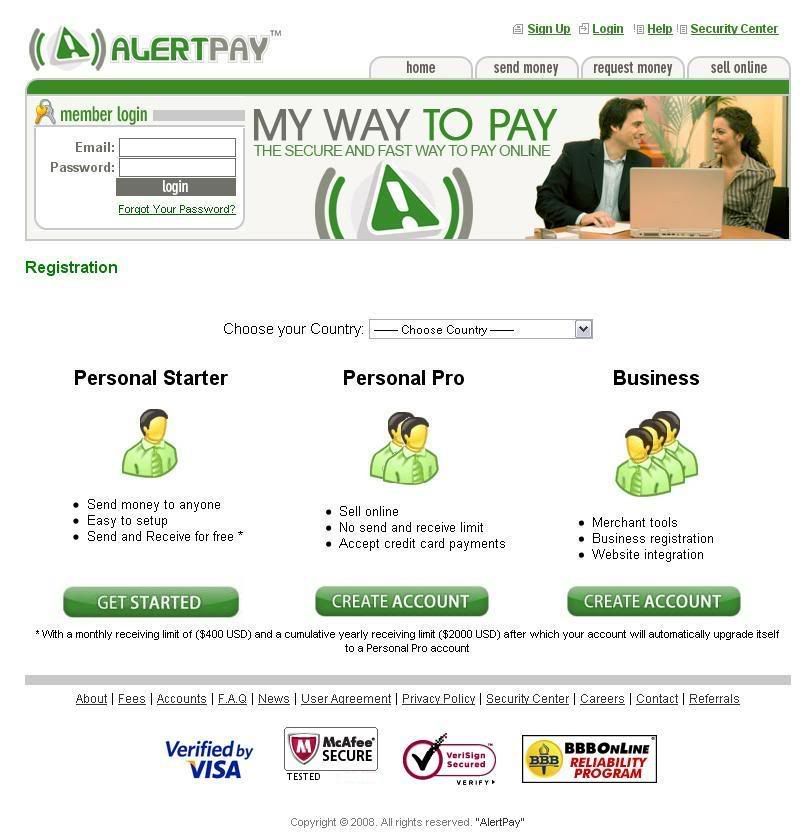

PERSONAL Starter: It is the perfect account to send and receive money from friends, family and occasionally payments. Personal Starter accounts do not have selling tools, but do have easy funding and withdrawal methods. You can have a maximum of 2 emails associated with your account. It has a monthly receiving limit of $400 USD and a cumulative yearly receiving limit of $2000 USD after which your account will automatically upgrade itself to a Personal Pro account.

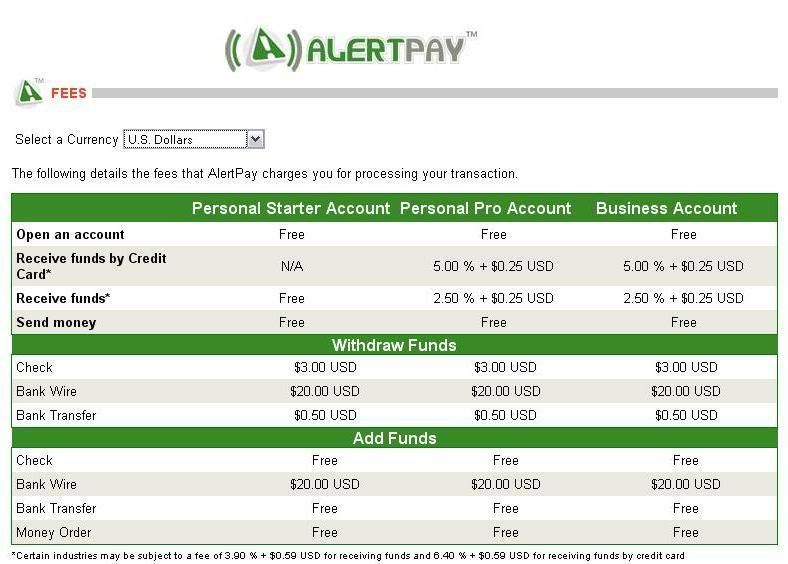
PERSONAL PRO Account: There are no receiving limits. You will have access to features like: Mass Pay (send out payments to groups of people), Integration tools and website payment methods (Buy Now Buttons, Subscriptions and Recurring Payments Instant Payment Notification). Receiving fees is 2.5% + $0.25 per transaction. If you are an active seller or you an avid online shopper, choose the AlertPay Personal Pro account today!

BUSINESS Account: It is tailored to meet all the needs of your online business. If you are managing a business under your business name, this is the account for you. You will have access to numerous online business tools to help your business grow online and you will have unlimited emails associated with your account. This account has low transaction fees of 2.5% + 0.25 per transaction (additional fees may be applied for specific industries).


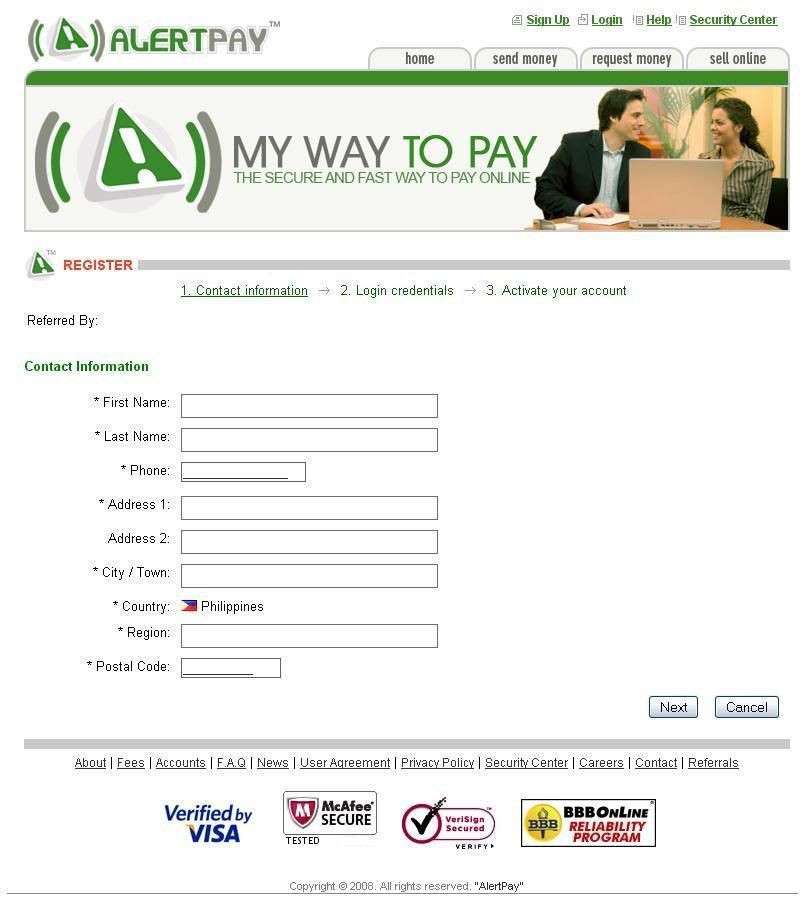
4. From there, you will go to a page that asks for your basic personal information -- your name, address, telephone number and e-mail address. You will also be required to enter security questions in case you lose your password, and you have to enter a randomly generated series of letters and numbers, which help prevent fraud. Once you confirm your account, a sign-up confirmation will be sent to you via e-mail.
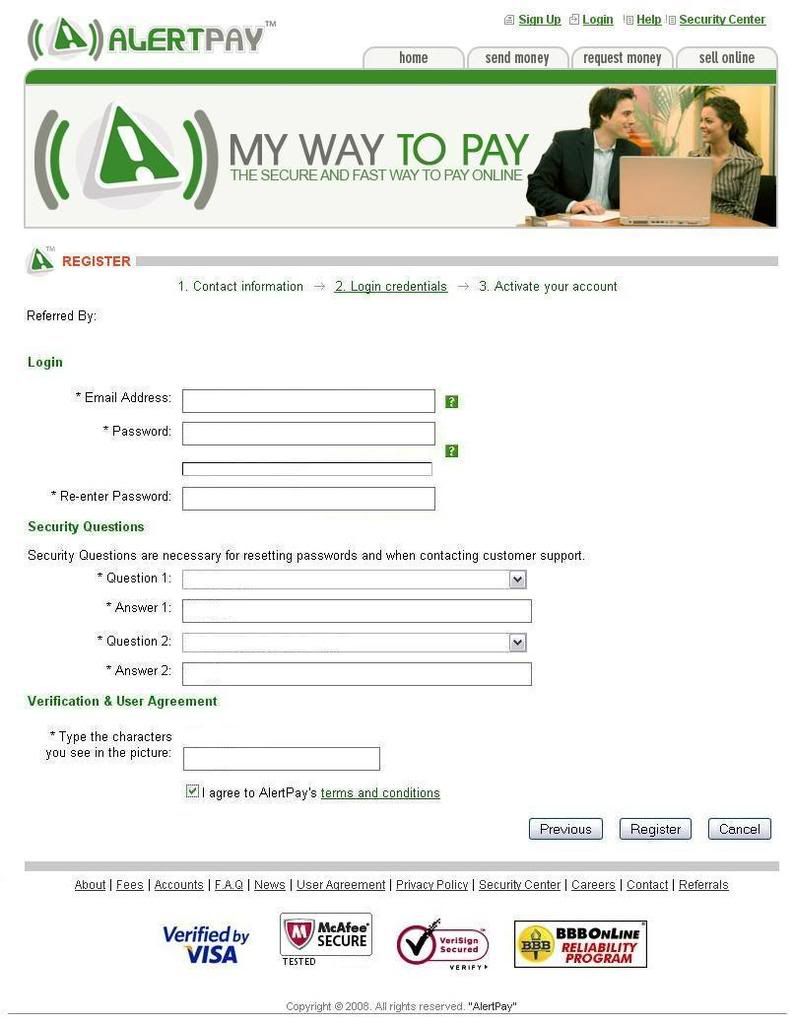


5. Open your e-mail and your will see confirmation e-mail from AlertPay. Click on the link to confirm your e-mail address.


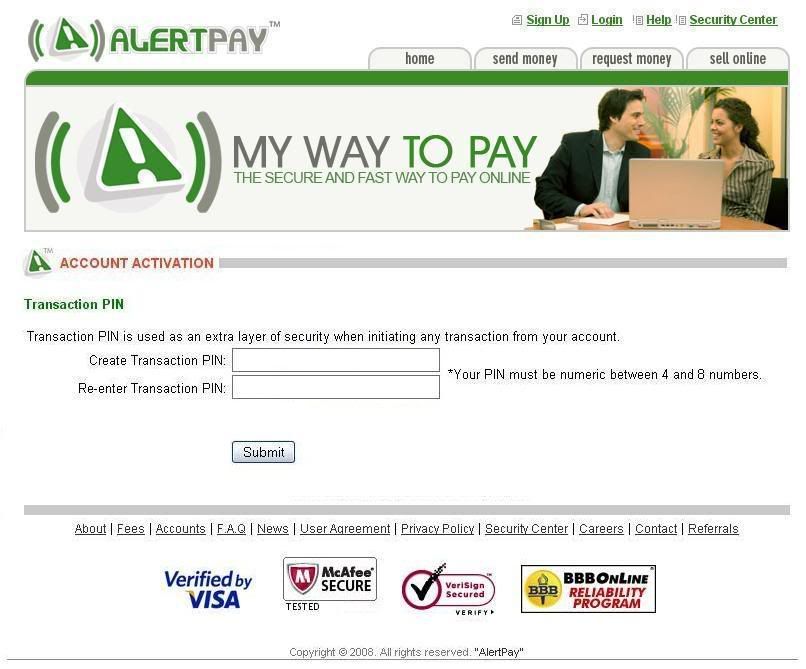
6. Congratulations! You have confirmed your AlertPay account. Login and you will be directed to your AlertPay account page. You will be asked for a secondary password, this is for your transactions.

7. Familiarize yourself with your new AlertPay account interface. Then verify your account.
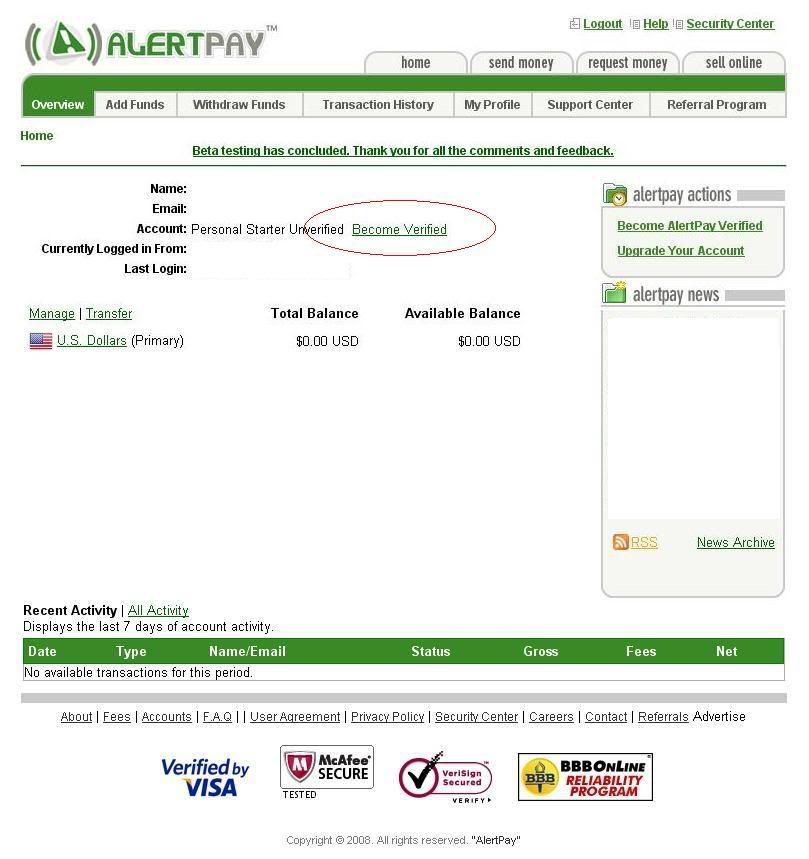

Account verification identifies who you are as a KYC (Know your customer) policy. It is important for the AlertPay network that members identify themselves by submitting documentation to protect their members against fraud. At any time, AlertPay can ask you to become verified.

Verification of an AlertPay account is not necessary in order to, add or transfer funds. The verification increases the security of AlertPay’s network to be able to verify and authenticate users. Although not necessary, verification is highly recommended. In some cases as well when various transactions involve substantial amounts, AlertPay’s security center may ask some members to verify their AlertPay account in order to proceed with their transactions.


Click here on how to get verified.

8. You can now use this AlertPay account e-mail address when signing up with your online businesses to accept payments. Remember to read the User Agreements/Terms and Conditions or the Help Center if you have any questions.


I wish you good luck and great earnings!


AlertPay is the easiest way to receive money online.
You don’t have an account yet? Click here to sign up.


RELATED ARTICLES:

What is AlertPay?

AlertPay.com, a privately owned and managed company founded in 2004, is an electronic wallet (e-wallet) payment system enabling any business or consumer with e-mail to send and receive internet payments securely, quickly and cost-effectively. With its office headquarters in Montreal, Canada, AlertPay is available to users all around world.

AlertPay is an alternative to PayPal. It works the same way as PayPal, but they support more countries and have lower transaction rates compared to PayPal.


Why Open an AlertPay Account?

Here are some of the benefits of opening an AlertPay account:


  • Many Get-Paid-To (and PTC) websites use the payment processor AlertPay. It is better to open an account now to get paid from your online businesses!


  • You can send a payment to an AlertPay member by creating a transaction. Payments are instant and both parties will receive a confirmation e-mail for proof of payment.


  • Non-members can also receive payments from members. They will receive an e-mail informing them that they have received money through AlertPay and that they must complete the free registration process to claim their funds. And best of all, this new member counts as one of your referrals! Read more on referrals and learn how to get paid by simply referring new members.


  • Make payments for products or services online. Once a member places an order on the merchant’s website, you will be transferred to the AlertPay secure server to complete the order process. Payments are instant and both parties will receive a confirmation email for proof of payment.


  • Selling online has never been easier. Payments are easy and convenient. Begin accepting payments from your customers with AlertPay sell online tools. Customers can use their credit card to pay for your product/service. Sell Online tools enable you to accept payments on your website in a matter of minutes. Integration is easy by simply copying and pasting the code into website or email. No complicated programming. You handle your business and AlertPay will handle your payments.


  • AlertPay is the easiest way to receive money online.
    You don’t have an account yet? Click here to sign up.


    RELATED ARTICLES:

     

    SUBSCRIBE TO MY FEED

    Subscribe in a reader

    Enter your email address:

    Delivered by FeedBurner